







+1 201-552-3177

Enterprise Lottery Display Platform

Turn every screen into a live lottery sales machine.

Every display, every pack, every shift. One platform, built for lottery retailers.

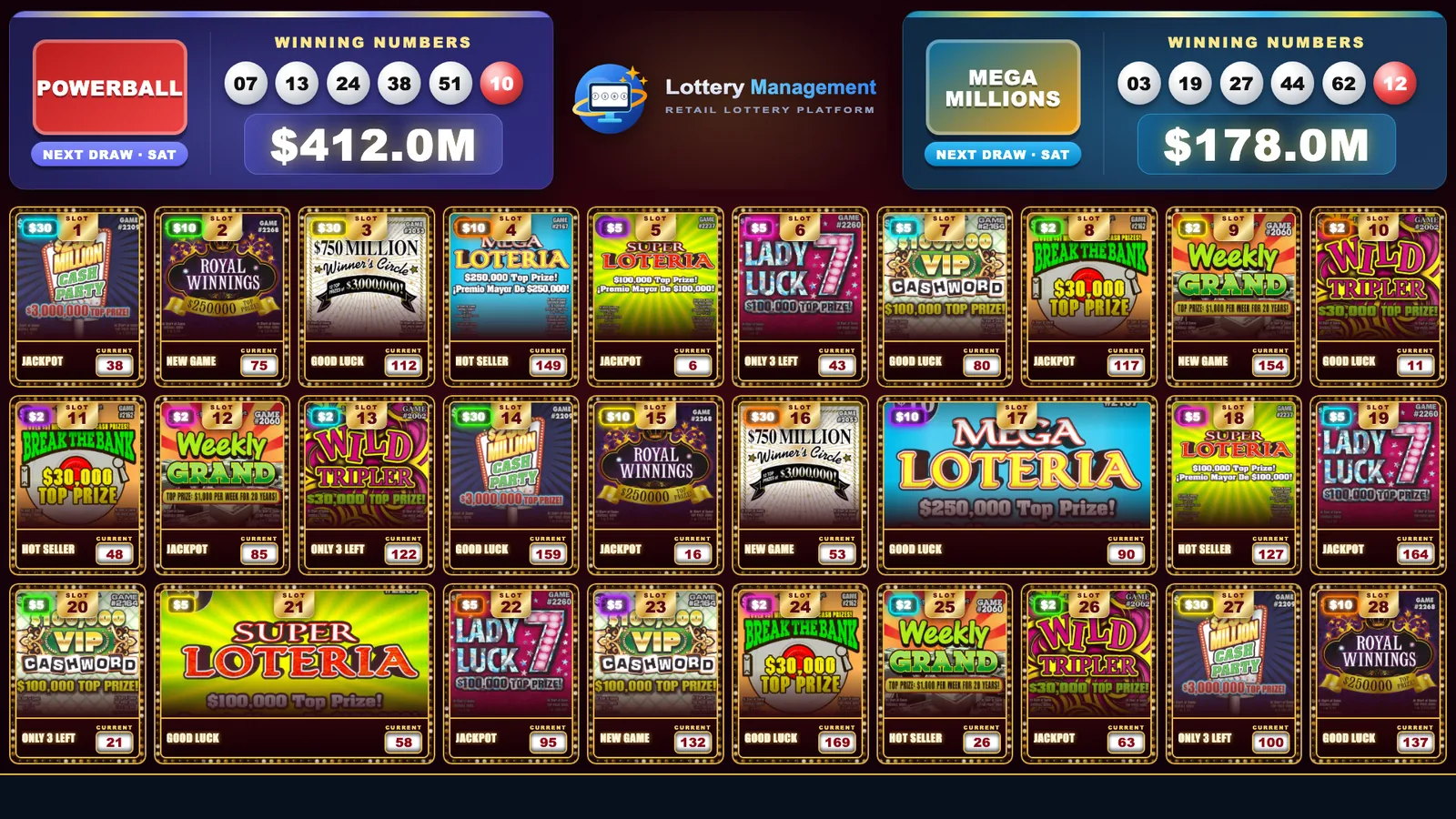
A Lottery Management board on the Vegas Marquee theme: 28 scratch-off tickets in numbered slots with prices and current numbers, under a live jackpot header
  • 500+Retail locations live
  • 3TV platforms, native apps
  • 14-dayFree trial on every plan
  • 24/7Retailer support
Plug & play

Runs on the hardware you already have

See supported devices
  • Android TV4K · Google Play
  • Fire TV Stick · Fire OSHDMI · Amazon Appstore
  • Fire TV Stick · Vega OSHDMI · Native Vega app
  • 4K Lottery BoxMini PC · Ethernet or Wi-Fi
  • Any HDMI ScreenSmart or non-smart
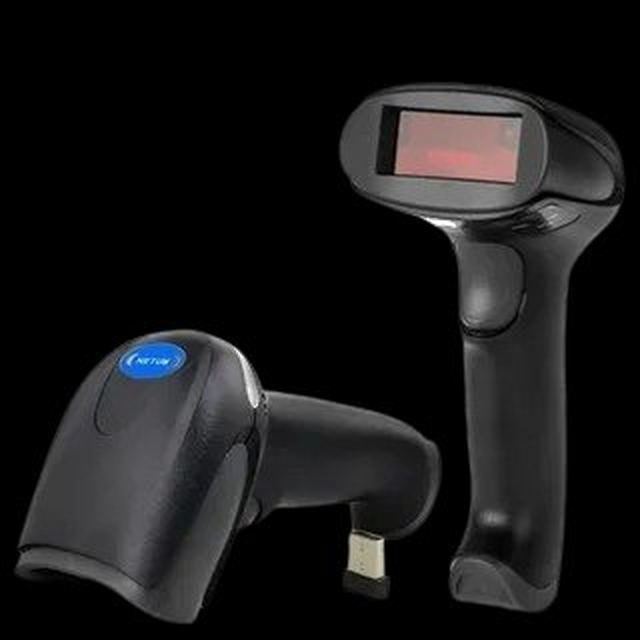
  • Netum Scanners1D & 2D · USB
  • Zebra ScannersEnterprise-grade · USB
  • USB 2D ImagersUSB keyboard (HID)
  • Hands-free StandsPresentation scanners
Built to be noticed

Make customers look up

Seasonal boards, live jackpots, and real scratch tickets that turn heads.

Loading display previews 0/5
The platform

Everything behind the counter. One system.

Displays, inventory, sales, closing and reporting in one place, so the screens and the books always agree.

Control Center Live demo

Press a button. Every screen answers.

One-tap buttons at the counter: confirm and activate packs, filter tickets by price, and spotlight games on every screen.

  • 1 tapper action
  • Allscreens at once
  • Livein real time
Control Center 3 screens online
Ticket Inventory
Show Tickets By Amount
Ticket Announcement

Every screen: full board

Try it: tap any button and watch the TV.
  • Store Displays

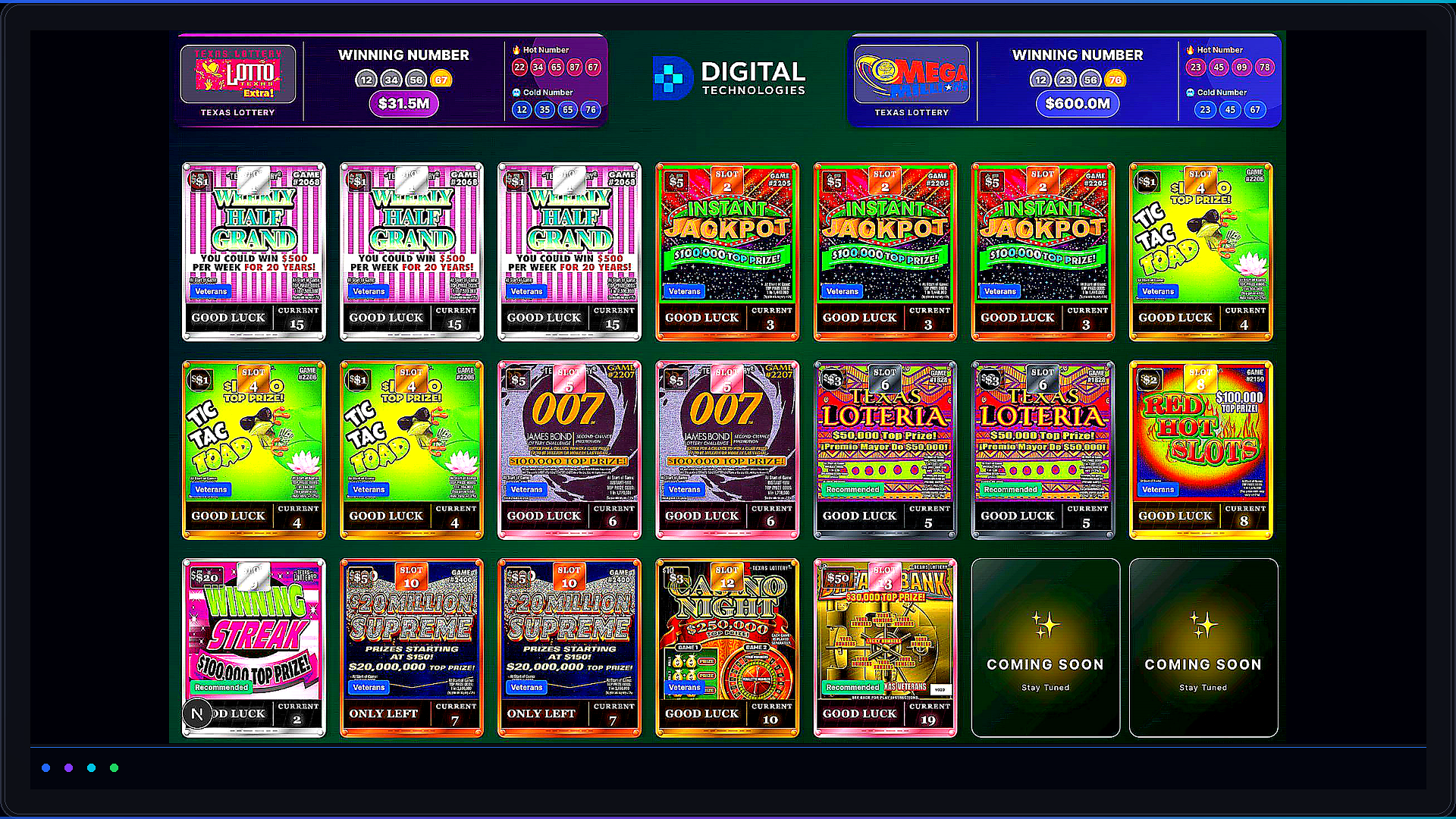
    Any TV becomes a live lottery board with numbered slots, price badges and the current ticket number. Landscape, portrait or 4K.

  • Live Updates

    Every change reaches every screen in real time, whether the store has one display or many.

  • Pack Inventory

    See every pack by status: in inventory, not activated, activated or sold out. Bulk-activate a range of slots.

  • Insights

    Today's sales, this month against last month, projected sales and the total value of your inventory, all on one page.

  • Scan Sales

    Scan tickets at the counter with a barcode scanner or enter sales by hand, then follow the Current Day view.

  • Display Themes

    Pick a premade or seasonal theme, or build your own colours, fonts, price badges, backgrounds and slot layout.

  • Display Advertisements

    Run your store's own ads in the header of every display.

  • End Shift & End Day

    Close out with missing-ticket detection, amount adjustments and Return To State for packs.

  • Sales Reports

    Shift, day and month reports as PDFs, ready to print or download.

  • Sales History

    A calendar by day, week or month, split into shifts. Correct an End # and later days recalculate.

  • Staff & Access

    Employee accounts with granular permissions. Suspend or reinstate, and keep owner-only controls.

  • Lottery AI Assistant

    Ask about your sales and inventory in plain English, by text or by voice.

  • Voice Commands

    Talk to the screen. The wake word is “Display”.

How it works

Live in an afternoon.

Four steps from a blank TV to a live lottery board that updates as you sell.

  1. Step 1: Plug in a device

    Use an Android TV, an Amazon Fire TV Stick, or our 4K Lottery Box on any HDMI screen.

    • Android TV
    • Fire TV Stick
    • 4K Lottery Box
  2. Step 2: Pair your screen

    Install the TV app from Google Play or the Amazon Appstore and sign in to your store.

    • Google Play
    • Amazon Appstore
  3. Step 3: Scan your packs

    Confirm and activate packs by scanning their barcodes with any USB scanner.

    • Confirm
    • Activate
    • Bulk activate
  4. Step 4: Go live & sell

    Screens update in real time as tickets sell. Close shifts and print reports when the day is done.

    • Real-time
    • End Shift
    • PDF reports

Ready to light up your counter?

14-day free trial. No credit card required.

Supported devices

Plug in. Power on. Go live.

Lottery Management runs on hardware you can buy anywhere: a smart TV or an HDMI stick for the screens, and a standard USB scanner for the counter.

Live lottery display board with scratch-off tickets and jackpots

Android TV

A smart TV runs your lottery board on its own. No extra box needed.

  • 50″–70″ recommended
  • 4K
  • Portrait or landscape
  • Google Play app
  • Install the Lottery Display Pro app from Google Play
  • Mount it portrait or landscape
  • Tickets and jackpots update live as they sell

Best for: Stores buying new screens for the counter or ticket wall.

All display players at a glance

Need hardware? We help with volume purchasing and setup.

Talk to hardware team
In action

One system, from counter to screen

Lottery Management runs your packs, your displays and your reports from one place.

Inventory & counter

Scan. Activate. Sell.

Every pack is tracked from the moment it arrives to the last ticket sold. Your staff scan a barcode and the screens update on their own.

  • Confirm and activate packs by scanning
  • Bulk activate a whole range of slots at once
  • Scan sales at the counter or enter them by hand
  • End Shift and End Day with missing-ticket detection
See pricing
Displays

Screens that sell for you

Your board shows every ticket with its price and current number, dressed in a theme that fits your store. Spotlight a game or answer a customer with one tap or one sentence.

  • Premade, seasonal and fully custom themes
  • Your own ads in the display header
  • Live Powerball and Mega Millions jackpot header
  • Ticket announcements and voice commands
See pricing
Reports & insights

Know your numbers

See today's sales, this month against last and where the month is heading. Ask the AI assistant anything about your sales and inventory in plain English.

  • Sales history calendar, split by shift
  • Shift, day and month reports as PDFs
  • Lottery AI Assistant by text or voice
  • Staff accounts with granular permissions
See pricing
Built for scale

Enterprise-grade from day one

The same platform runs a single corner store and a chain of locations, with the controls owners and managers expect.

  • Real-time live updates

    Activate a pack or sell a ticket and every screen in the store reflects it instantly.

  • Role-based staff permissions

    Give each employee exactly the access they need, suspend them in a tap, and keep owner-only controls to yourself.

  • Multi-screen, multi-store

    Run one screen or many per store, and share any display online with a link.

  • 4K, portrait or landscape

    Crisp 4K boards that fit whichever way your screen is mounted.

  • Cloud-hosted, nothing to maintain

    We run the software and the cloud, so there are no servers in your back office.

  • AI assistant & voice control

    Ask about your sales in plain English, or tell a screen “Display, show me two dollar tickets.”

retail locations
500+
support
24/7
display quality
4K
free trial, no card
14-day
Solutions

Built for every kind of lottery retailer

From one counter to a network of stores. Pick yours and see how Lottery Management fits.

For the corner store, gas station or convenience store with one lottery counter.

Put a live, branded ticket board on the TV you already have and run the counter from one screen.

  • One or more screens showing every ticket, price and current number
  • Scan sales at the counter with a barcode scanner
  • Close the day with missing-ticket detection
  • Shift, day and month reports as PDFs
RecommendedBasicSee plans
Pricing

Simple plans that grow with your store

Every plan starts with a 14-day free trial. No credit card required.

Basic

Perfect for single-store operators

$22/mo
7 features included
  • Dashboard
  • Premade Themes
  • 4K Resolution Supported
  • Single Display
  • Multiple Display
  • Live Updates
  • Horizontal or Portrait layout

Enterprise

Full control over every store, screen and user

$50/mo
20 features included
  • Dashboard
  • Inventory
  • Sales Management
  • Employee Management
  • Reports
  • Premade Themes
  • Custom Themes
  • 4K Resolution Supported
  • 14-day free trial
  • No credit card required
  • 24/7 support

Need a custom plan for many stores? Talk to sales

FAQ

Questions, answered

The things retailers ask us most, from hardware and scanners to reports and the free trial.

Still unsure? Talk to us

Tell us about your store and we'll help you pick the right setup.

Contact us get@lotterydisplaypro.com
Which TVs and devices work with Lottery Management?

Android TV (50″–70″ recommended), Amazon Fire TV Stick running Fire OS (4K / 4K Max), Amazon Fire TV Stick running Vega OS, and our 4K Lottery Box, a mini PC that plugs into any HDMI screen. So any TV with an HDMI port works with a stick or the box.

Which barcode scanners are supported?

Netum 1D/2D scanners, Zebra scanners, and any USB 2D imager. They are plug-and-play, read glossy tickets and scan in any direction.

Can I run several screens in one store?

Yes. Run one or many screens per store, in landscape or portrait, with 4K supported. A display can also be shared online by link.

Can I use my own ads and branding?

Yes. Display Advertisements show your store's own ads in the header of your displays. Choose from premade and seasonal or holiday themes, or build a custom theme with your own colours, fonts, price badges, backgrounds and slot positions.

How do tickets update on the screen?

Live. As tickets sell and packs are activated, every screen updates in real time with the current ticket number.

Can staff have limited access?

Yes. Create employee accounts with granular permissions, suspend or reinstate them at any time, and keep owner-only controls for yourself.

What reports do I get?

Shift, day and month sales reports as PDFs you can print or download, plus a sales history calendar and insights such as today's sales, this month vs last month, projected sales and total inventory value.

Is there a free trial?

Yes. Start with a 14-day free trial. No credit card is required.

Do you offer a partner or reseller program?

Yes. Resellers provide the hardware, installation and local support; we handle the software and cloud. Partners earn a revenue share.

Book a demo

See it on your own counter

Tell us how your store runs and we'll show you Lottery Management with your screens, your tickets and your closing routine in mind.

  1. Step 1

    Tell us about your store

    A few details about your counter, screens and goals.

  2. Step 2

    Get a live walkthrough

    See your tickets on a live board and the Control Center in action.

  3. Step 3

    Start your 14-day free trial

    No credit card required.

Request your demo

Fields marked * are required.

About you
Your business
Do you sell state lottery tickets?
Currently using lottery management software?
Your goals
What matters most to you?
Would you like to schedule a demo?
Partner program

Grow with us as a reseller

Join our reseller network. You provide the hardware, installation and local support; we handle the software and the cloud. You earn a revenue share.

  1. Revenue Share

    Earn a recurring share of every subscription you bring in.

  2. Hardware Support

    We handle all software and cloud — you focus on hardware, installation, and local support.

  3. Partner Portal

    Manage clients, track earnings, and monitor deployments in one place.

  4. Co-marketing

    Get featured in our partner directory, co-branded materials, and joint marketing campaigns.

The partnership

Who does what

You bring

  • HardwareTVs, sticks, Lottery Boxes and scanners
  • InstallationMounting and setup at the counter
  • Local supportThe friendly face in the store

We handle

  • SoftwareDisplays, Control Center and reports
  • CloudHosting and live updates to every screen
  • UpdatesNew features and themes, delivered
  • SupportProduct help for you and your stores

Reach out to our partnership team or log in to the partner portal to get started.

Your next screen could be selling right now.

14-day free trial. No credit card. Set up in an afternoon.

Lottery Management | Enterprise Lottery Display Platform